

Calendar and management
Your whole day at a glance
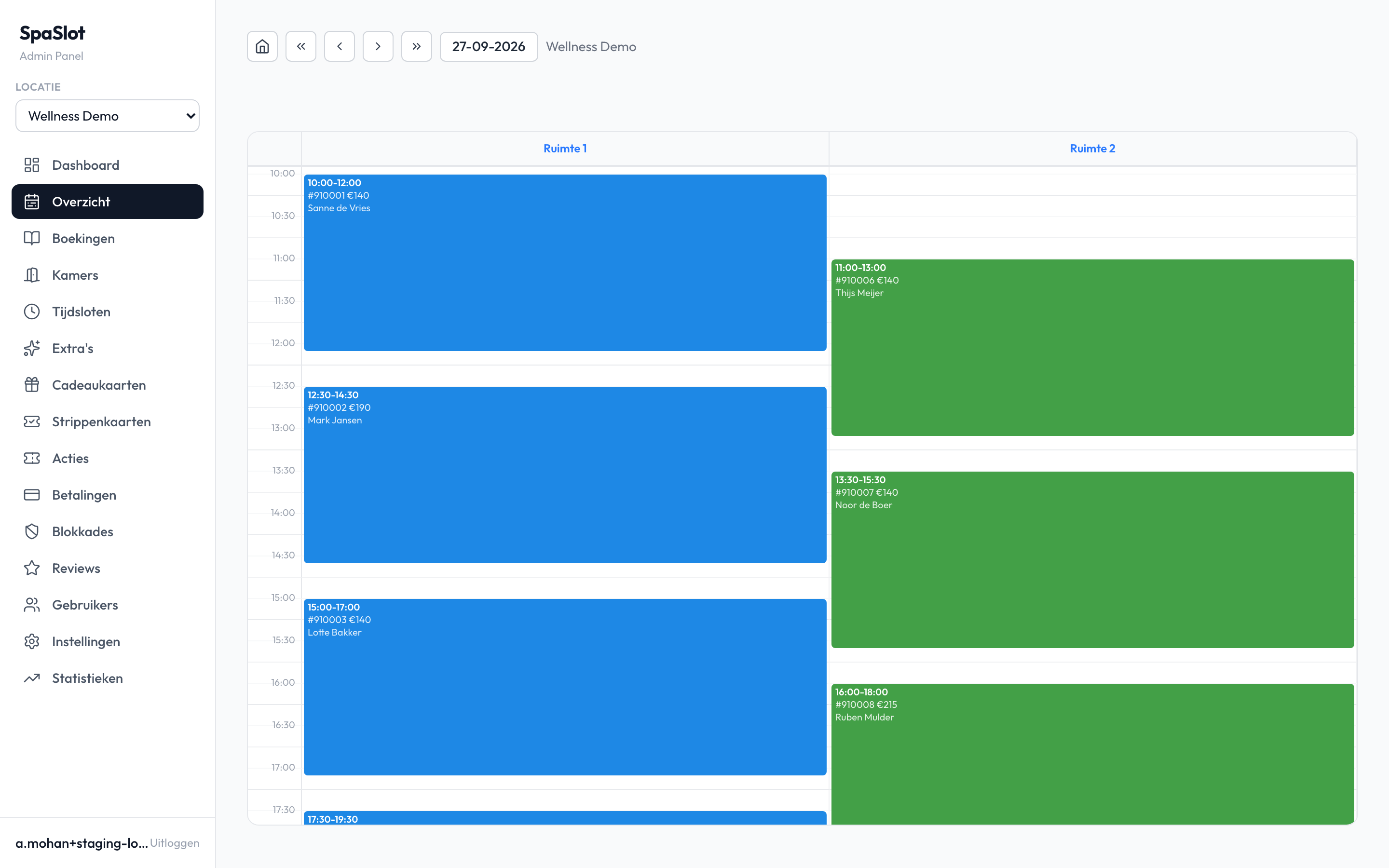
In the day view you see all your rooms side by side, with every booking in them. Online bookings appear automatically, and whatever comes in by phone or at the front desk, you add yourself.
Moving a booking, cancelling it or resending the confirmation is done from the same place. So you do not have to switch between a calendar, your email and a list on paper.
In short
What you do in the calendar
- Day view
- all rooms side by side
- Blocking times
- for maintenance or your own use
- Manual booking
- walk-in or phone
- Changes
- move, cancel, confirm again
Whatever you block or book in the calendar can no longer be booked in the widget.
In control of your business
Statistics and export
See your revenue and bookings in your statistics. Export your bookings and customer list to Excel.
Multiple locations
If you have more locations, you switch between them with the location switcher. For multiple locations we put together a tailored proposal.
Roles and permissions
Give each staff member the role and permissions that fit their work.
A booking at the front desk
A walk-in or phone call in four steps
Not every guest books online. If someone calls or is standing at the front desk, you put the booking in the calendar yourself.
You record straight away how it was paid. That way your overview adds up at the end of the day.
- 1
Choose the moment
Select the room and the time in the day view.
- 2
Add the booking
Fill in your guest's details.
- 3
Record the payment
Choose card, cash or still to be paid.
- 4
Confirm
Send the guest a confirmation. Need it again later? Then you simply resend it.
In practice
What your day looks like
- All rooms side by side
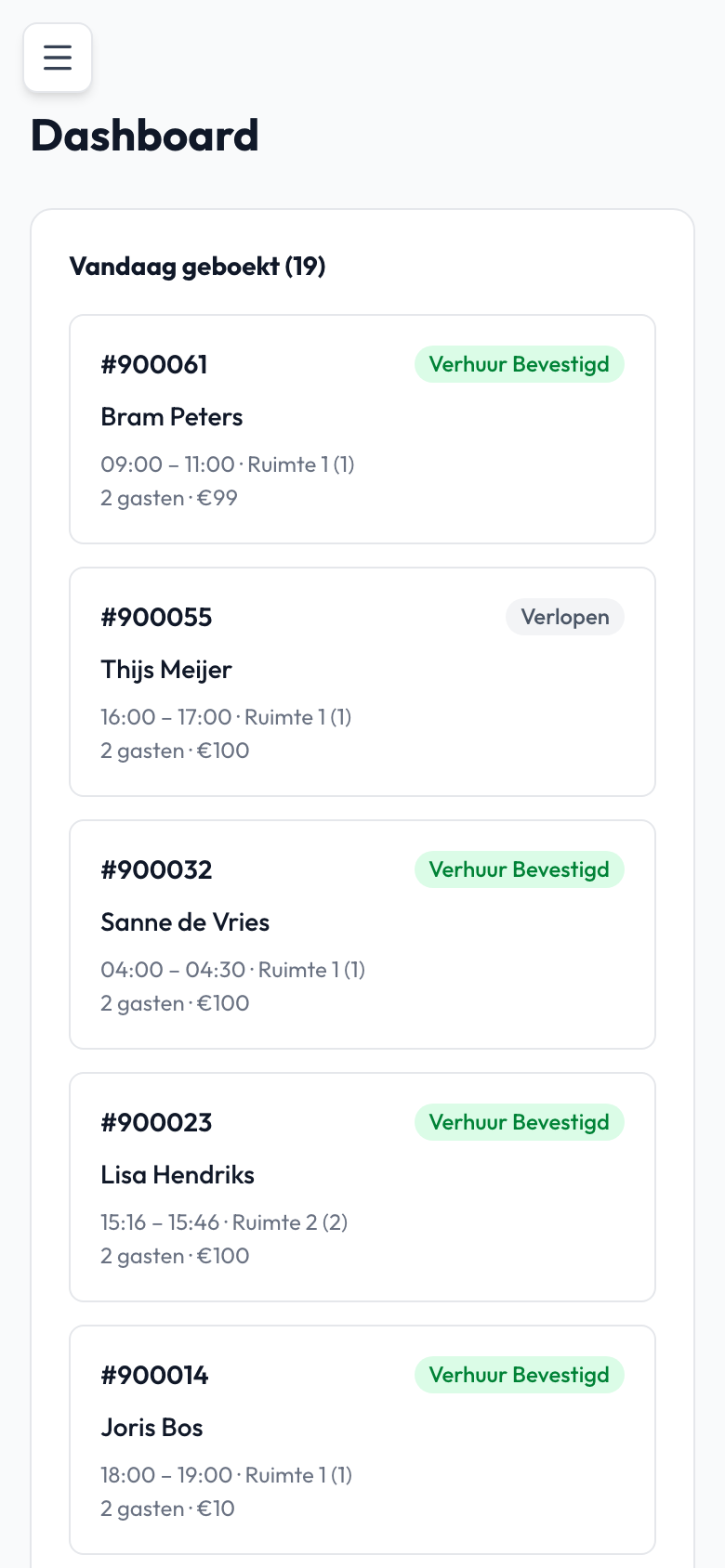
- Today's bookings at a glance
- Figures and Excel export
Screenshot from the SpaSlot demo environment, with sample data.

Ashwin Mohan, SpaSlot
The people behind SpaSlot
Software from people you can simply call
SpaSlot is based in Rotterdam. We have been building software since 2018 and developed SpaSlot together with private saunas that use it every day.
The management screen is made for the front desk, not for an office. If you run into something, you get personal support, usually the same day.
Good to know
What stays in your hands.
The system does a lot by itself, a few things remain yours.
You enter manual bookings yourself
Online bookings appear in the calendar automatically. A walk-in or phone booking you add yourself, with the right payment status.
Your data stays yours
The data is stored on servers in Amsterdam. You can always export it, and we sign a data processing agreement with you.
How we handle data is explained in our privacy statement.
Questions about calendar and management
Yes. For a walk-in or phone booking you add the booking manually, with card, cash or still to be paid as the payment status.
Yes. You block times in the calendar, for example for maintenance or your own use.
Yes, from the management screen. You can also resend the confirmation to the guest.
Yes. You export your statistics, bookings and customer list to Excel. Your data stays yours.
Yes. With the location switcher you move between locations. For multiple locations we put together a tailored proposal.
Yes. You set roles and permissions per staff member.
Questions about calendar and management?
In a 20-minute demo we show you the management screen with a real day in it. You ask the questions, then we set everything up for you.
You talk to the SpaSlot teamPersonal support, usually the same dayRodezand 80, Rotterdam · info@spaslot.nl · +31 10 321 68 61
€ 129.95 per location per month excl. VAT. No setup fees, cancel monthly.